GTA 6 will only run on Xbox Series X|S from the console’s internal SSD or an official Storage Expansion Card. A USB drive can hold it but can’t play it. Rockstar hasn’t announced the file size yet, so the free fix comes first: move games you aren’t playing to a USB drive and uninstall what you can before preload opens at local midnight on November 12. If you own a 512GB Series S and want to keep other big games installed, the SanDisk Optimus GX C50 2TB card is the one we’d add.
Researched across 15 sources, including Xbox Support, Rockstar Support, Microsoft’s Xbox Wire, SanDisk and Seagate spec sheets, and reviews from Windows Central and MondoXbox.
We earn a commission from qualifying purchases made through links on this page.
Your three options at a glance
| Samsung T7 1TB (USB) | SanDisk C50 2TB (card) | Seagate card | |
|---|---|---|---|
| What it does | Stores games; plays Xbox One, 360 and original Xbox games | Plays everything, GTA 6 included | Plays everything, GTA 6 included |
| Runs GTA 6 | No, move it back first | Yes | Yes |
| Sizes | 1TB in this pick | 512GB, 1TB, 2TB | 1TB, 2TB, 4TB |
| Warranty | Not checked | 5-year limited | 3-year limited, plus Rescue data recovery |
| Our pick for | Parking your backlog | 512GB Series S owners | Not linked right now |
Will GTA 6 fit on your Xbox?
Start with the number your console shows you. Press the Xbox button, then go to Profile & system > Settings > System > Storage devices. That free-space figure is the only one that matters.
Microsoft sells the base Series S with a 512GB SSD. Xbox Support explains why less than that is free: “Most of this space is available for games and apps, though some is reserved for saved games, console software, and other system functions. So, even with no games installed, you won’t see the full 500 GB, 1 TB, or 2 TB free.” So your usable space is always smaller than the number on the box.
Answer two quick questions and we'll point you to the right fix.
Which Xbox do you have?
How full is it?
Press the Xbox button, then go to Profile & system > Settings > System > Storage devices.
This is the smallest Xbox Series X|S drive, so start clearing space now. Uninstall games you're done with and move older games to a USB drive. If you want to keep other big games installed too, add an expansion card.
Rockstar hasn't announced the file size yet.
Move games you aren't playing to a USB drive so GTA 6 gets the internal space. Older Xbox One, Xbox 360 and original Xbox games can still run from USB.
Park games on USB · Our USB pick
Rockstar hasn't announced the file size yet.
Keep that space free. The real install size should show up when preload opens on November 12, which leaves a week to make more room if you need it.
Rockstar hasn't announced the file size yet.
Move games you aren't playing to a USB drive first. Still short? Add an expansion card.
Park games on USB · Add a card
Rockstar hasn't announced the file size yet.
Uninstall or move a few games you aren't playing, then check your free space again when preload opens on November 12.
Rockstar hasn't announced the file size yet.
You have more room to work with than a 512GB Series S. Check again when preload opens on November 12.
Rockstar hasn't announced the file size yet.
Move games you aren't playing to a USB drive first. Still short? Add an expansion card.
Park games on USB · Add a card
Rockstar hasn't announced the file size yet.
Uninstall or move a few games you aren't playing, then check your free space again when preload opens on November 12.
Rockstar hasn't announced the file size yet.
You have more room to work with than a 512GB Series S. Check again when preload opens on November 12.
Rockstar hasn't announced the file size yet.
Will GTA 6 fit? Pick your console, then check how full it is at Settings > System > Storage devices.
- Series S 512GB, nearly full or you want other big games installed. Clear space now (Step 1). If you still want those games installed, add a card (our pick).
- Series S 512GB, with room to spare. Keep that space free and check the real size when preload opens on November 12 (before November 12).
- Series S 1TB or Series X, nearly full. Move games you aren't playing to a USB drive (Step 2). Still short? Add a card (Step 3).
- Series S 1TB or Series X, with room to spare. You have more room to work with than a 512GB Series S. Check again when preload opens on November 12 (before November 12).
Rockstar hasn’t announced the file size yet.
The real install size should show up when preload opens on November 12. That leaves a week before launch to make more room if you need it.
Step 1: free up space (it costs nothing)
Xbox Support is clear about where newer games have to live: “Note that to play Optimized for XBOX Series X|S titles, games must be installed on the console’s internal SSD (the default install location) or the Storage Expansion Card for XBOX Series X|S (sold separately).” The Microsoft Store labels GTA 6 “Optimized for Xbox Series X|S.”
Older games are different. Microsoft’s Xbox Wire said in its 2020 storage primer that with a USB drive, “You can continue to play your favorite Xbox One games, including backward-compatible Xbox 360 and original Xbox games, directly from the external hard drive.” Move those first and keep internal storage for new releases.
To move a game, go to My games & apps > See all > Games, highlight it, press Menu, pick Manage game and add-ons, select the game box, then Move or copy > Move selected.
Uninstalling is safe too. Xbox Support says “You won’t lose games or game progress by removing them from your console storage.” Your saves sync online. You can also clear leftovers at Settings > System > Storage > Clear local saved games.
Step 2: park games on a USB drive
Any USB drive you already own works if it meets Xbox Support’s requirements. The drive must “Hold 128 GB or more” and “Connect via USB 3.0/3.1.” You can attach up to three.
Xbox Support says storing Series X|S games on external storage “can save you the hassle of downloading large game files again.” When you want to play one, you move it back.
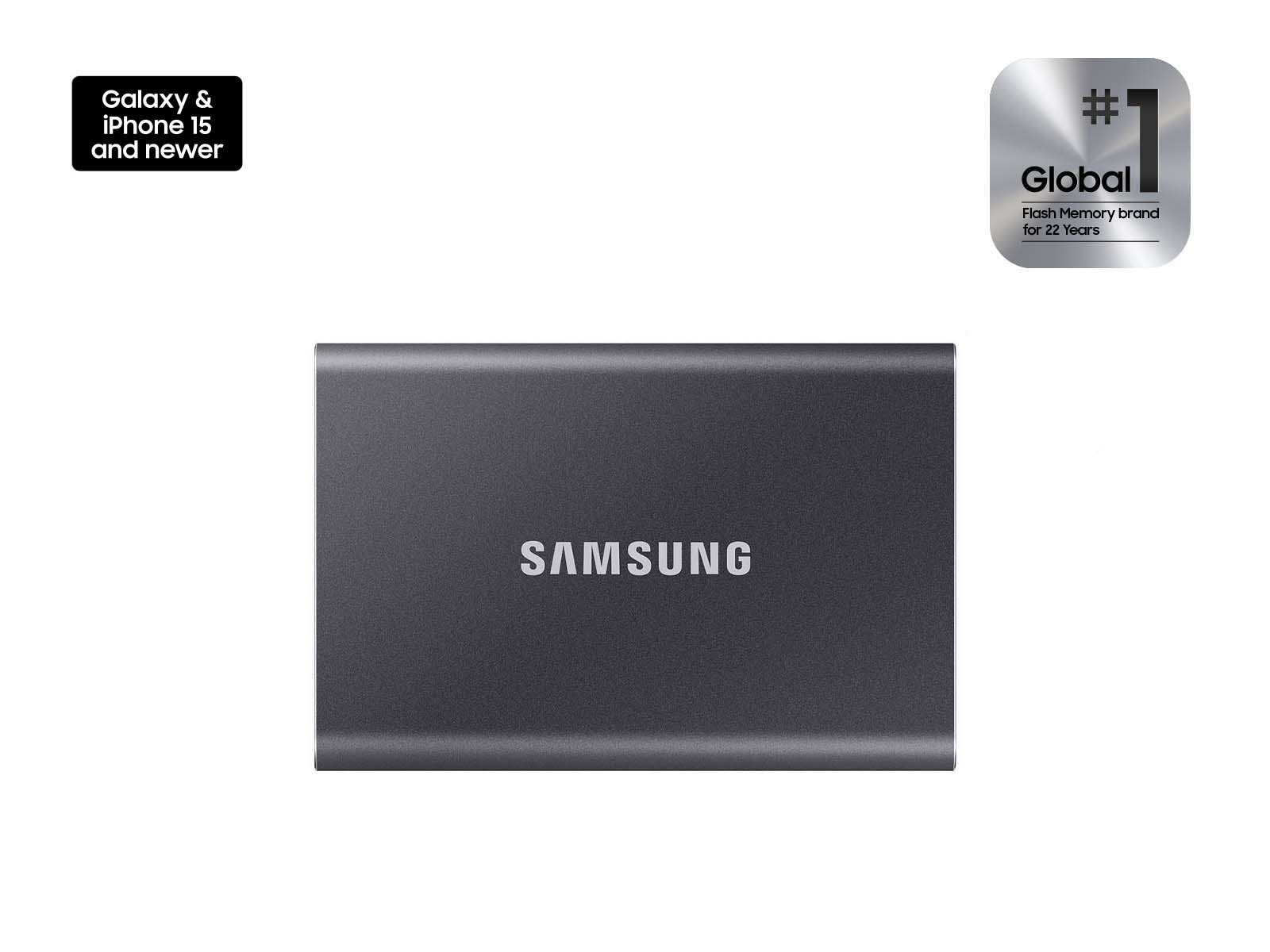
Samsung T7 Portable SSD 1TB
Samsung T7 Portable SSD 1TB
- Windows Central's best external SSD for Xbox Series X|S
- Faster than a hard drive for moving games back, per Windows Central
- Plays Xbox One, Xbox 360 and original Xbox games straight from the drive
- Can't run GTA 6 or any other Series X|S-optimized game
- Each game has to be moved back before you play it
- Its top speed needs a faster port than the console uses
Check price on Amazon(paid link)
If you need a drive, this is the one. Windows Central names it the “Best External SSD” for Xbox Series X|S and calls it “a backward-compatibility maestro that also excels at shuttling upgraded titles to and from internal storage.” The same guide is clear on the limit: it “can only play Xbox One, Xbox 360, and original Xbox titles on Xbox Series X and Series S.” Windows Central’s T7 review says it uses a USB 3.2 interface rated at up to 1,050MB/s.
Pros
- Windows Central’s best external SSD pick for Xbox Series X|S
- Moves games back faster than a hard drive, per Windows Central
- Plays Xbox One, Xbox 360 and original Xbox games from the drive
Cons
- Can’t run GTA 6 or other Series X|S-optimized games
- Each game has to move back before you play it
- Its rated top speed is more than the console’s USB port can use
Step 3: add an expansion card if you need more
The card slides into the slot on the back of the console. Xbox Support says it “performs identically to the console’s internal SSD.” It only works in Xbox Series X|S consoles, not Xbox One or Windows PCs.
One setup rule from Xbox Support: “Always take your very first XBOX update before connecting a Storage Expansion Card.” After that, go to Settings > System > Storage devices > Change install locations so the preload lands where you want it.
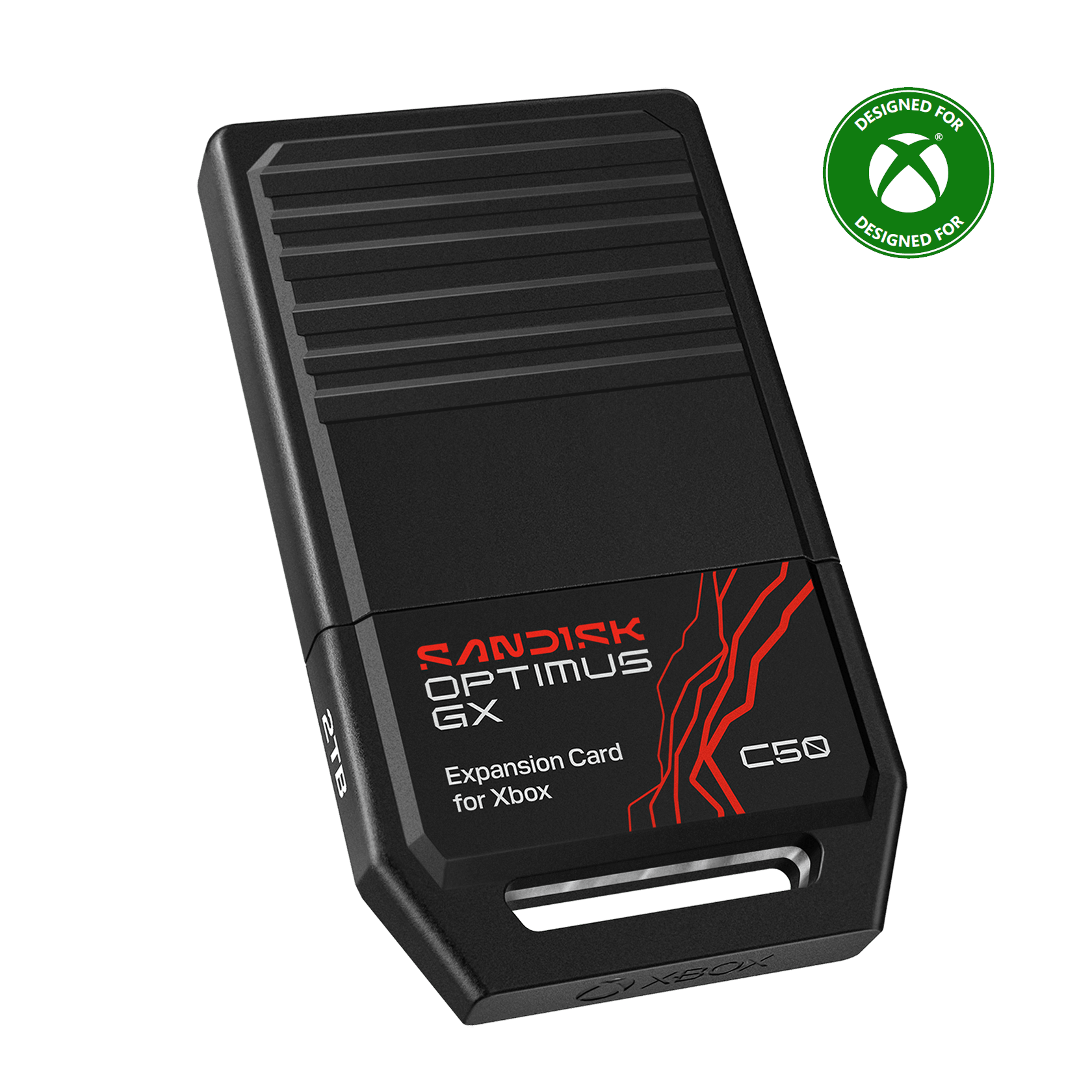
SanDisk Optimus GX C50 2TB
SanDisk Optimus GX C50 Storage Expansion Card for Xbox Series X|S, 2TB
- Officially licensed for Xbox Series X|S
- 5-year limited warranty, per SanDisk
- MondoXbox saw no load-time difference from internal storage
- Costs far more per GB than a USB drive
- 2TB is the largest size SanDisk makes
- One independent review so far, of the 1TB model
Check price on Amazon(paid link)
SanDisk says the C50 is “Officially licensed for XBOX Series X|S consoles” and backs it with a 5-year limited warranty. Amazon sells it directly. The 2TB size gives a Series S plenty of headroom, whatever GTA 6’s final size turns out to be.
It’s new, so reviews are thin. MondoXbox reviewed the 1TB model on October 18 and noticed no difference from internal storage in load times or play. Their review found a 41GB game moved to the card in about a minute, at roughly 700MB/s. SanDisk also sells 512GB and 1TB sizes.
Pros
- Officially licensed for Xbox Series X|S
- 5-year limited warranty
- MondoXbox’s review saw no load-time difference from internal storage
Cons
- Costs far more per GB than a USB drive
- 2TB is SanDisk’s largest size
- Only one independent review so far, of the 1TB model
What about Seagate?
Seagate makes the other licensed card. Its page lists 1TB, 2TB and 4TB sizes with a three-year limited warranty and Rescue data recovery. It has been hard to find from Amazon itself, so we aren’t linking it right now.
Before November 12
- Check free space at Settings > System > Storage devices.
- Move Xbox One and older games to USB, then any Series X|S games you aren’t playing.
- If you add a card, take your first console update before inserting it, then set your install location.
- Preload opens at local midnight on November 12. Boxed copies hold a download code, not a disc, so they need the same space.
On PlayStation instead? See our PS5 storage guide.
Quick questions
Can I play GTA 6 from an external hard drive? No. A USB drive can store it, but GTA 6 has to sit on internal storage or an expansion card to play.
Does a normal M.2 SSD work in an Xbox? No. The card slot takes licensed cards only.
Can I move the card to another console? Yes. Xbox Support says the card is swappable, though you’ll need to sign in or use the game disc to play.
Sources
- Rockstar Support, “Grand Theft Auto VI platform editions and versions,” updated Aug 18, 2026: https://support.rockstargames.com/articles/4QfG4FmZCf5W1gS8jy4UVT/grand-theft-auto-vi-platform-editions-and-versions
- Rockstar Newswire, launch date announcement: https://www.rockstargames.com/newswire/article/ak3ak31a49a221/grand-theft-auto-vi-is-now-set-to-launch-november-19-2026
- Microsoft Store, Grand Theft Auto VI: https://www.xbox.com/en-US/games/store/grand-theft-auto-vi/9NL3WWNZLZZN
- Xbox Support, “Manage storage on your XBOX console”: https://support.xbox.com/en-US/help/hardware-network/storage/manage-storage
- Xbox Support, “Use the Storage Expansion Card for XBOX Series X|S”: https://support.xbox.com/en-US/help/hardware-network/storage/use-storage-expansion-card-xbox-series-x-s
- Xbox Wire, “Xbox Series X and Xbox Series S custom storage solution primer,” Sept 24, 2020: https://news.xbox.com/en-us/2020/09/24/xbox-series-x-and-xbox-series-s-custom-storage-solution-primer/
- Xbox, Xbox Series S: https://www.xbox.com/en-US/consoles/xbox-series-s
- Xbox, Xbox Series X: https://www.xbox.com/en-US/consoles/xbox-series-x
- SanDisk, Optimus GX C50 Storage Expansion Card: https://www.sandisk.com/products/ssd/external-ssd/sandisk-optimus-gx-c50-ssd-expansion-card-for-xbox?sku=SDCEOGN-1T00-GNAGX
- SanDisk, Optimus GX C50 data sheet: https://documents.sandisk.com/content/dam/asset-library/en_us/assets/public/sandisk/product/internal-drives/sandisk-optimus-gx/data-sheet-sandisk-optimus-gx-c50-ssd-expansion-card.pdf
- Seagate, Storage Expansion Card for Xbox Series X|S: https://www.seagate.com/products/gaming-drives/xbox-gaming/storage-expansion-for-xbox-series-x/
- MondoXbox, “Scheda d’espansione SanDisk Optimus GX C50 1 TB - provata,” Giuseppe Genga, Oct 18, 2026: https://www.mondoxbox.com/speciale/3943/scheda-d-espansione-sandisk-optimus-gx-c50-1-tb—provata.html
- Windows Central, best SSDs for Xbox Series X|S, Samuel Tolbert: https://www.windowscentral.com/best-ssds-xbox-series-x-series-s
- Windows Central, Samsung T7 review, Richard Devine: https://www.windowscentral.com/samsung-t7-ssd-review
- Tom’s Hardware, SanDisk expansion cards now on Amazon, Aug 21, 2026: https://www.tomshardware.com/pc-components/external-ssds/sandisk-expansion-cards-for-xbox-series-x-s-now-available-on-amazon-alternative-storage-solution-to-seagate-wd-arrives-on-the-market-five-years-after-the-launch-of-the-consoles